In a Hurry? Key Takeaways
A useful CRM for video editors tracks relationships and revenue decisions—not just contacts—including source, fit, offer, next action, proposal, project history, and retention opportunity.
Contact and company context
Lead source and client fit
Stage with exit criteria
Owner, next action, and date
Scale Your Video Editing Agency With Zero Chaos
Manage freelance editors, streamline revisions, protect clients with two-lane masked messaging, and retain 100% of your earnings. No hidden fees, no marketplace middleman cuts.
Separate relationship data from project tasks
A CRM answers who the buyer is, what they need, where the opportunity came from, what was promised, and what should happen next. A project system answers what must be produced today. They can share a platform, but the records serve different decisions.
At minimum track company, contact, role, segment, lead source, need, estimated value, stage, last interaction, next action and date, proposal link, won or lost reason, and related projects. Store only data you have a legitimate reason to keep.
Use stages with exit criteria
A practical pipeline is new lead, researched, contacted, replied, qualified, discovery, proposal, negotiation, won, lost, and nurture. Define the evidence required to move stages; sending a message does not make a lead qualified.
Every open opportunity needs an owner and dated next action. Create filtered views for overdue follow-ups, proposals awaiting decisions, former clients ready for a relevant check-in, and leads with no activity.
Choose the smallest system the team will use
A spreadsheet can work for one editor with low volume. A generic CRM provides automation and reporting but may require a separate delivery handoff. An integrated system reduces re-entry when the same relationship becomes a project and recurring client.
Evaluate permissions, exports, backups, privacy, mobile access, integrations, duplicate handling, and total administration time. The best tool is the one that makes follow-up and ownership more reliable without becoming another neglected database.
What To Check Before You Decide
- Contact and company context
- Lead source and client fit
- Stage with exit criteria
- Owner, next action, and date
- Proposal, project history, and outcome
Comparison Table
| Option | Best for | Tradeoff | Gigxomi angle |
|---|---|---|---|
| Spreadsheet | Solo editor with a small pipeline | Reminders and history are manual | Upgrade when client and delivery context fragments. |
| General CRM | Sales automation and reporting | Project handoff may live elsewhere | Connect accepted work to an editing-specific workflow. |
| Gigxomi operating system | Video clients, editors, and delivery together | Needs a consistent team process | Carry relationship context into assignments and delivery. |
Action Steps for CRM for video editors
- Define pipeline stages and objective exit criteria.
- Create the minimum fields needed for sales decisions.
- Import active leads only and remove duplicates carefully.
- Assign an owner and next action to every open opportunity.
- Review conversion, cycle time, source quality, and lost reasons monthly.
The Video Editing Agency Delivery Engine
How modern studios scale client capacity without founder micro-management or poaching risk:
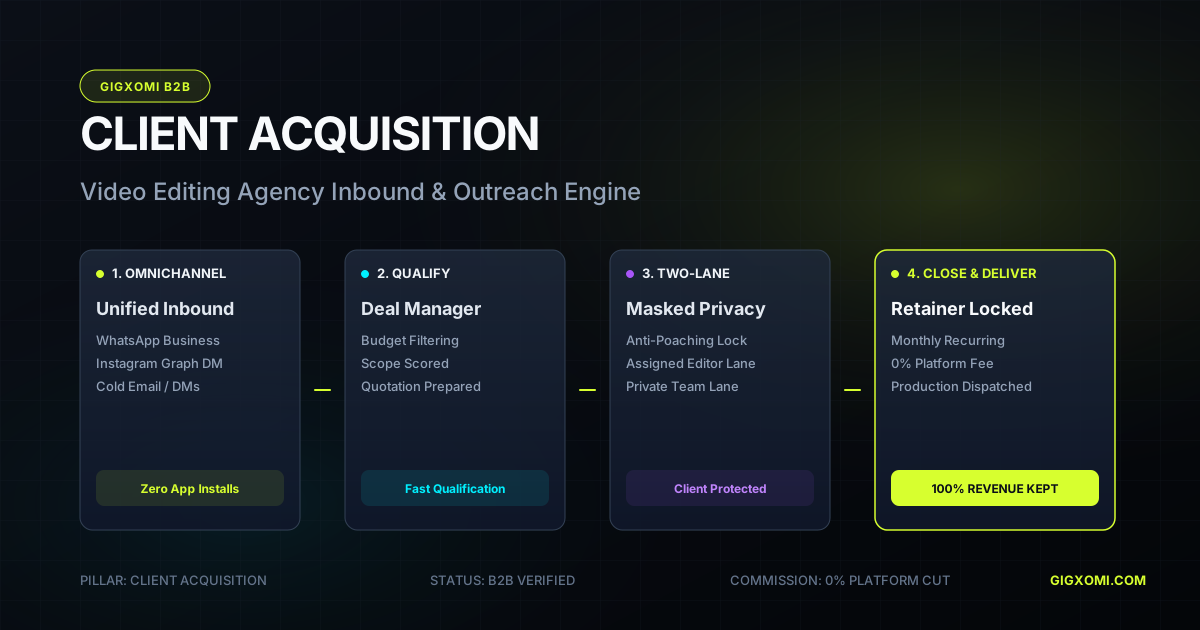
Omnichannel Inbound
WhatsApp & Instagram DM leads arrive in Unified Inbox
Qualification & Quote
Manager scores scope, prices deal & sends quote link
Two-Lane Masked Chat
Editor receives brief; client phone is 100% encrypted
Review & Approval
Client approves rough cut with gated revision limits
0% Commission Payout
Agency keeps 100% of fees; auto-renewal locked
Anti-Poaching Guarantee: Editors never see raw client phone numbers or direct payment links. All communication is relayed via encrypted tokens, protecting your agency's client equity permanently.
Put the Process Into Practice
Gigxomi helps video-editing agencies and studio owners keep client context, manager delegation, editor assignments, reviews, delivery, and payout visibility connected. Use this guide to structure your process; use the workspace when that process requires shared ownership and a reliable operating record.
You can also read our in-depth video editing agency management software guide, or review agency workspace pricing.
Continue Your Plan
Upgrade to an Anti-Poaching Agency CRM
Combine CRM client tracking with production execution: Two-Lane masked chat isolates sensitive contacts, 0% platform commission protects retainers, and WhatsApp concierge (+91 99933 28124) assists onboarding.
Frequently Asked Questions
Does a freelance video editor need a CRM?
If leads or follow-ups are being forgotten, a CRM helps. Start with a simple system; complexity is justified only when it improves decisions and ownership.
Can I use a spreadsheet as a CRM?
Yes. Use consistent stages, owners, dates, and validation, protect access, and maintain a backup. Move when automation, permissions, or relationship-to-project handoffs become costly.
What CRM metric matters most?
No single metric is enough. Track qualified opportunities, conversion by source and segment, time to decision, retained revenue, and reasons work is lost.
Related Guides
Explore more agency scaling blueprints, client acquisition systems, and software comparisons.
How to Manage Video Editing Clients Without Chaos
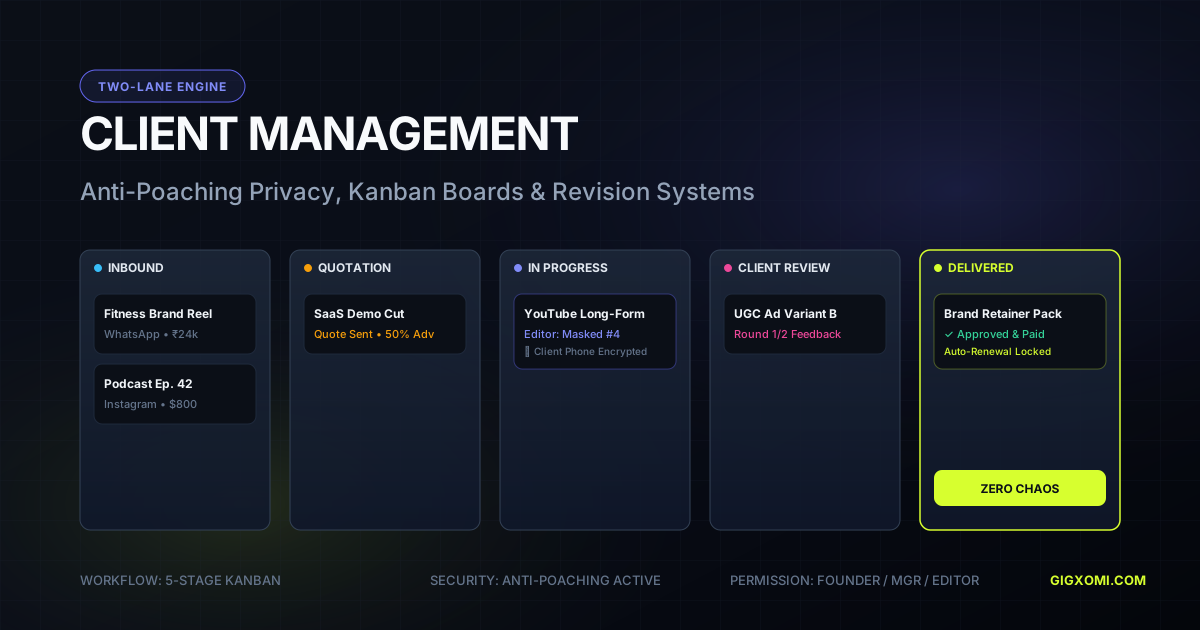
Manage editing clients with a visible lifecycle: qualification, scoped onboarding, asset intake, milestones, consolidated review, approval, delivery, payment, and retention.
How to Scale a Video Editing Business Profitably
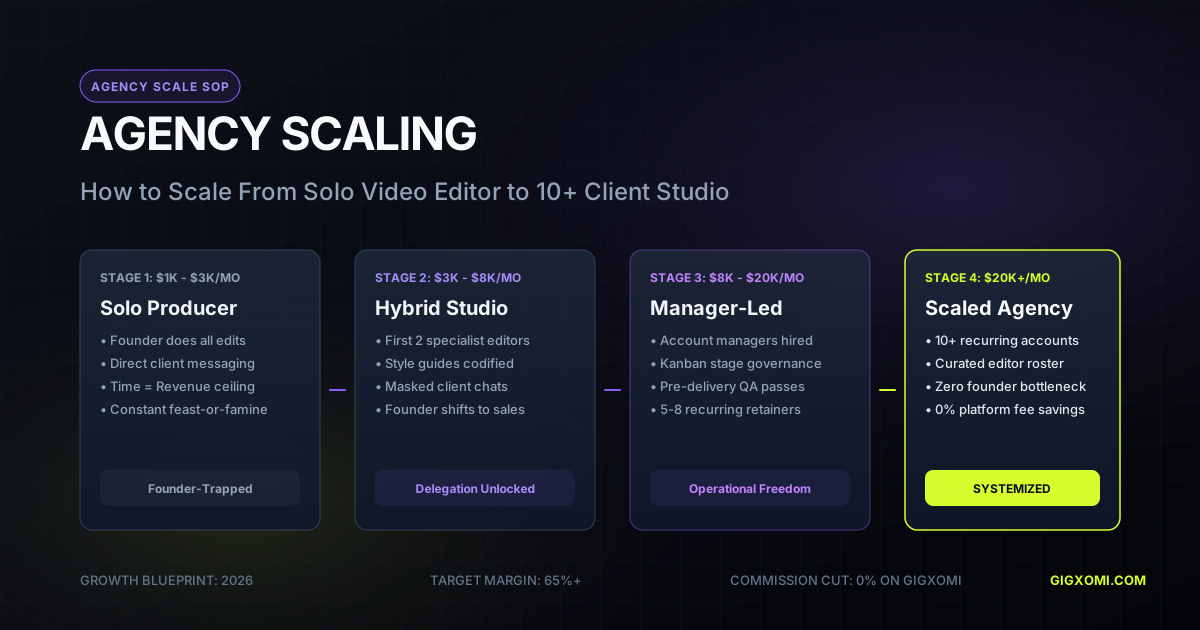
Scale an editing business by choosing the current constraint, protecting contribution margin and quality, building repeatable acquisition and delivery, and adding the right capacity at the right time.

Video Editing Proposal Template: Scope Work Clearly
A strong video-editing proposal connects the client’s goal to exact deliverables, workflow, schedule, review limits, price, rights, and acceptance terms.
Video Editing Client Onboarding Checklist: The 72-Hour Agency Workflow
Onboarding sets the operational cadence for video editing retainers. Standardize your 72-hour agency intake: automate brand asset collection, lock creative briefs, establish cloud storage structures, and confirm turnaround SLAs.
Video Editing Turnaround Times: A Realistic Planning Guide
A reliable deadline begins with footage volume, edit complexity, review ownership, revision limits, and delivery format—not with a universal number of days.
How to Get Video Editing Clients: A Repeatable System
Build a repeatable client pipeline by choosing a niche, creating relevant proof, finding businesses with visible video demand, and following up with a specific offer.
How to Get Your First Video Editing Client
Get the first paid client by narrowing your offer, producing one relevant proof piece, contacting warm and well-researched prospects, and selling a small paid pilot.
How to Get Video Editing Clients as a Beginner
A beginner can compete through focus, reliable fundamentals, honest samples, fast communication, and a paid pilot that is small enough to deliver exceptionally well.